> ## Documentation Index
> Fetch the complete documentation index at: https://docs.wolfia.com/llms.txt
> Use this file to discover all available pages before exploring further.
# Drata Integration: Sync Controls, Policies, and Evidence into Wolfia
> Connect Drata to Wolfia with an API key so your controls, published policies, and evidence library stay in sync and back every security questionnaire answer.
Most of what a security questionnaire asks is already answered inside your compliance program: which controls you run, which policies govern them, and what evidence proves it. Wolfia reads that program directly from Drata, so answers cite the control or policy by name and reflect the state your compliance team maintains, without anyone re-typing it into a knowledge base.
## What Wolfia reads
Every active control in your primary workspace: name, code, description, control question and activity, framework tags, mapped requirements, owners, custom fields, and readiness and monitoring status.
Every active, published policy: name, scope, status, version, renewal date, publish and approval dates, owner, and the controls it is linked to.
Every evidence item with a current version: name, description, implementation guidance, linked controls, evidence source links, and renewal frequency.
Archived controls, unpublished or inactive policies, and evidence items with no current version are left out. Evidence whose current version is a link to an external URL is listed but marked as skipped, so it does not contribute to answers. Wolfia reads the record details Drata exposes; it does not download attached policy documents or evidence files.
Access is read only. Wolfia never creates, edits, or deletes anything in Drata.
## Before you start
* An admin, expert, or integration admin role in Wolfia. Only these roles can connect integrations.
* Admin access in Drata, which is required to create an API key.
* A Drata API key with read access. When Drata asks for access scopes, **All read** is enough.
A Drata connection belongs to your whole organization. Anyone who can manage integrations can see it, trigger a sync, or disconnect it, and the synced records are available to everyone in your organization.
## Connect Drata
In Drata, open **Settings** from the account menu, choose **API Keys**, then **Create API Key**. Give the key read access and copy it right away. Drata shows the full key only once.
In Wolfia, go to **Knowledge Hub** and find **Drata** in the list of integrations. It is listed under the **Security** category with the **Organization** scope.
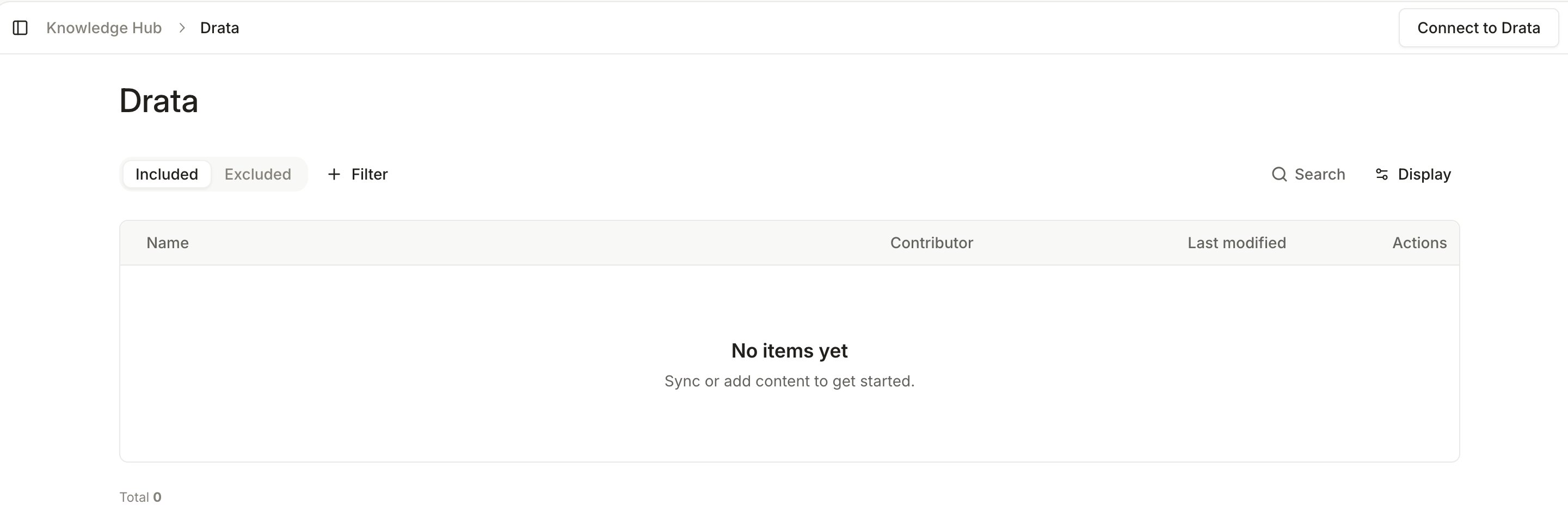
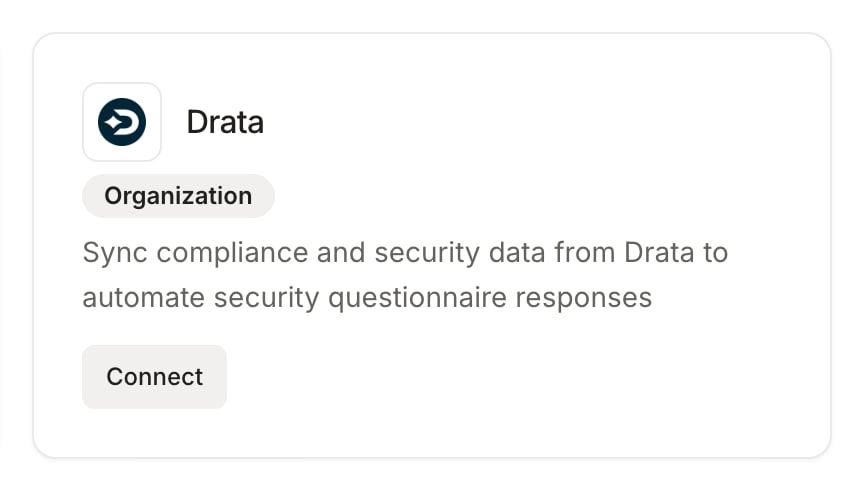 Click **Connect** on the Drata card, or **Connect to Drata** on the Drata page. A connection form opens; paste the API key you copied from Drata and submit. Wolfia confirms with **Drata connected successfully!** and opens the Drata page.
The first sync starts as soon as the connection is verified. Controls, policies, and evidence items appear in the Drata sources table as Wolfia reads them, and the connection is listed under **Connected integrations** in the Knowledge Hub. You can keep using Wolfia while the sync runs.
Click **Connect** on the Drata card, or **Connect to Drata** on the Drata page. A connection form opens; paste the API key you copied from Drata and submit. Wolfia confirms with **Drata connected successfully!** and opens the Drata page.
The first sync starts as soon as the connection is verified. Controls, policies, and evidence items appear in the Drata sources table as Wolfia reads them, and the connection is listed under **Connected integrations** in the Knowledge Hub. You can keep using Wolfia while the sync runs.
 ## Keep Drata in sync
* **Automatic sync**: Wolfia re-reads your controls, policies, and evidence library every day. New records are added, changed records are refreshed, and records removed or archived in Drata are removed from the knowledge base.
* **Sync now**: click **Sync now** on the Drata page to refresh immediately, for example right after publishing a policy revision. Wolfia confirms with **Drata sync started**.
* **Disconnect**: click **Disconnect** on the Drata page and confirm in the **Confirm Drata disconnect** dialog. This removes every synced Drata record from Wolfia and cannot be undone. Reconnecting later runs a fresh sync.
## Good practices
* Publish policies in Drata rather than leaving them in draft. Wolfia only reads policies that are active and published, so publishing is what makes a policy citable.
* Fill in control descriptions, control questions, and activities in Drata. Those fields carry the substance Wolfia uses to answer, and a control with only a name gives it little to work with.
* Keep evidence descriptions and implementation guidance current. They are what Wolfia reads for evidence items, since attached files are not downloaded.
## Frequently asked questions
Check its state in Drata. Archived controls, unpublished or inactive policies, and evidence with no current version are excluded on purpose. Once the record is active and published, click **Sync now**.
No. Wolfia reads the details Drata exposes for each record, such as descriptions, guidance, versions, owners, and links between policies and controls. To make a full policy document citable, upload it to Wolfia directly or sync it from the document store where it lives.
Your primary workspace. Controls and evidence come from that workspace; policies come from your Drata account as a whole.
The API key was revoked, expired, or lost its permissions in Drata. Create a new key with read access and reconnect from the Knowledge Hub.
No. Access is read only. Wolfia only reads controls, policies, and evidence.
## Related pages
Every source Wolfia can index and how they fit together.
Upload policy documents and evidence files directly.
Connect a Vanta compliance program the same way.
Sync the folders where your full policy documents live.
## Keep Drata in sync
* **Automatic sync**: Wolfia re-reads your controls, policies, and evidence library every day. New records are added, changed records are refreshed, and records removed or archived in Drata are removed from the knowledge base.
* **Sync now**: click **Sync now** on the Drata page to refresh immediately, for example right after publishing a policy revision. Wolfia confirms with **Drata sync started**.
* **Disconnect**: click **Disconnect** on the Drata page and confirm in the **Confirm Drata disconnect** dialog. This removes every synced Drata record from Wolfia and cannot be undone. Reconnecting later runs a fresh sync.
## Good practices
* Publish policies in Drata rather than leaving them in draft. Wolfia only reads policies that are active and published, so publishing is what makes a policy citable.
* Fill in control descriptions, control questions, and activities in Drata. Those fields carry the substance Wolfia uses to answer, and a control with only a name gives it little to work with.
* Keep evidence descriptions and implementation guidance current. They are what Wolfia reads for evidence items, since attached files are not downloaded.
## Frequently asked questions
Check its state in Drata. Archived controls, unpublished or inactive policies, and evidence with no current version are excluded on purpose. Once the record is active and published, click **Sync now**.
No. Wolfia reads the details Drata exposes for each record, such as descriptions, guidance, versions, owners, and links between policies and controls. To make a full policy document citable, upload it to Wolfia directly or sync it from the document store where it lives.
Your primary workspace. Controls and evidence come from that workspace; policies come from your Drata account as a whole.
The API key was revoked, expired, or lost its permissions in Drata. Create a new key with read access and reconnect from the Knowledge Hub.
No. Access is read only. Wolfia only reads controls, policies, and evidence.
## Related pages
Every source Wolfia can index and how they fit together.
Upload policy documents and evidence files directly.
Connect a Vanta compliance program the same way.
Sync the folders where your full policy documents live.